
Applock Theme Wedding1.0.8 - Google Play
You'll be able to see results in few seconds.
Publisher Description
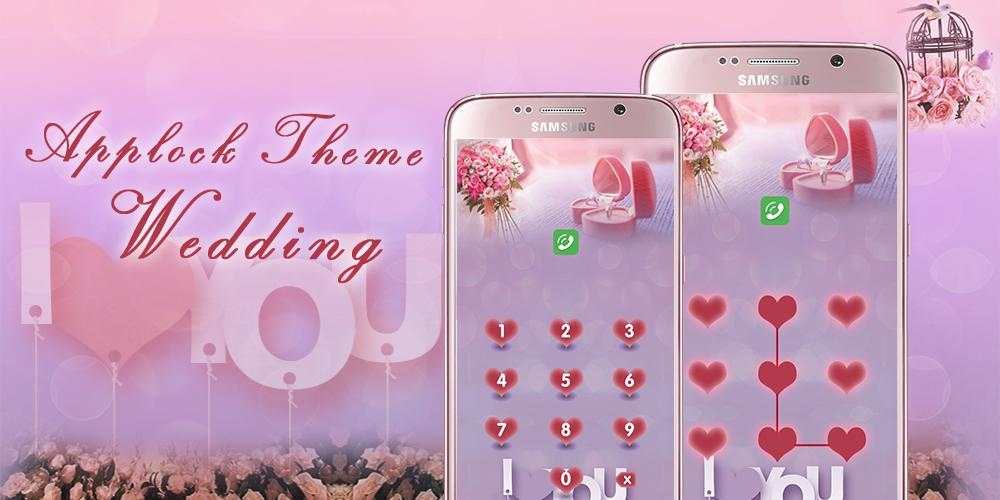
Customize your android and applock screen with applock wedding HD live wallpaper. Free applock wedding DIY theme as app lock wallpaper is made to personalize and beautify your app lock screen, to lock down private apps, hide and encrypt sensitive and secret pictures, videos, to protect your phone privacy away from intruders or snoopers with pattern and numeric password.
Applock theme wedding is specially made for applock privacy scan & hide pic, including tons of unified icons and stunning wallpapers. Apply this applock wedding wallpaper to beautify app lock screen and protect privacy with password as PIN code or pattern lock. To use neon light wallpaper theme, you can follow these steps below:
-Download and install applock wedding theme
-Install the best privacy & security guard applock privacy scan & hide pic
-Start applock and then you can apply wedding theme. If you have applock privacy scan & hide pic already on your phone, you can directly do to theme center to apply wedding wallpaper
No matter what kind of theme you like, we have tons of stunning and incredible themes and wallpaper like pet & animal, nature, love, vehicle, festival & holiday and so on. Also you can DIY your own theme:
-DIY theme function allow you to be designer yourself and turn your creative ideas into unique themes right on your phone
-DIY applock theme with your own photo or our beautiful wallpaper and delicate icons
★Choose Applock wedding theme, HD wedding live wallpaper to beautify your android and app lock screen
★Choose Applock wedding theme, no longer worry about parents or kids check your SMS or mess up your settings, install or uninstall apps
★Choose Applock wedding theme, no longer worry about your girlfriend/boyfriend check out recent calling, Facebook status, private SMS or gallery
★Choose Applock wedding theme, no longer worry about your friends check your information or privacy contents when let them use your phone
Applock privacy scan & hide pic allows you to set numeric password or pattern lock to lock individual apps preventing snooper or intruders from accessing or enabling information you want keep private. Apps you want lock include:
-System settings
-Call log
-Text messages (SMS)
-Social media accounts like Facebook, Instagram, Twitter, Tumblr, Snapchat etc.
-Contacts
Features of applock privacy scan & hide pic:
-Private image: hide and encrypt your private photos. Lock them with password lock or pattern lock
-Private video: Hide and encrypt your private videos. Lock them with password as PIN code or pattern
-Lock cover: Disguise your lock screen as something else like calculator, weather, Clock. Force Close & Finger Print screen cover to confuse snoopers or intruders.
-Prevent uninstall: After you enable Advanced Security feature, others are unable to delete this applock privacy scan & hide pic without your permission. This can better protect your privacy and secret.
Change app lock screen into wedding theme to decorate, to lock apps, hide private photos, videos inside app lock with wedding live wallpaper.
About Applock Theme Wedding
The company that develops Applock Theme Wedding is Themes for applock screen. The latest version released by its developer is 1.0.8.
To install Applock Theme Wedding on your Android device, just click the green Continue To App button above to start the installation process. The app is listed on our website since 2016-07-06 and was downloaded 0 times. We have already checked if the download link is safe, however for your own protection we recommend that you scan the downloaded app with your antivirus. Your antivirus may detect the Applock Theme Wedding as malware as malware if the download link to com.privacylock.applock.wedding is broken.
How to install Applock Theme Wedding on your Android device:
- Click on the Continue To App button on our website. This will redirect you to Google Play.
- Once the Applock Theme Wedding is shown in the Google Play listing of your Android device, you can start its download and installation. Tap on the Install button located below the search bar and to the right of the app icon.
- A pop-up window with the permissions required by Applock Theme Wedding will be shown. Click on Accept to continue the process.
- Applock Theme Wedding will be downloaded onto your device, displaying a progress. Once the download completes, the installation will start and you'll get a notification after the installation is finished.
Program Details
System requirements
Download information
Pricing
Version History
version 1.0.8
posted on 2016-07-06
Disclaimer
Official Google Play Link
We do not host Applock Theme Wedding on our servers. We did not scan it for viruses, adware, spyware or other type of malware. This app is hosted by Google and passed their terms and conditions to be listed there. We recommend caution when installing it.
The Google Play link for Applock Theme Wedding is provided to you by apps112.com without any warranties, representations or guarantees of any kind, so access it at your own risk.
If you have questions regarding this particular app contact the publisher directly. For questions about the functionalities of apps112.com contact us.
